Auto Swiper3.10.1
Publisher Description
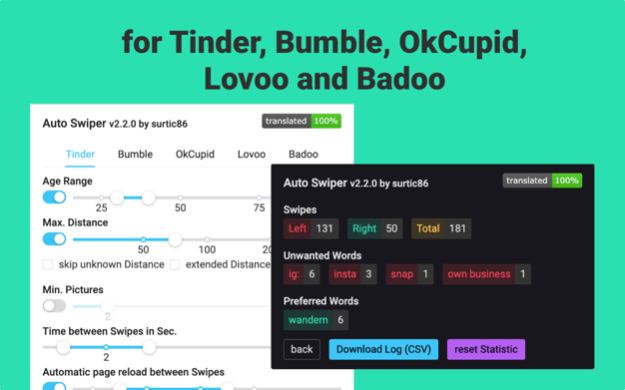
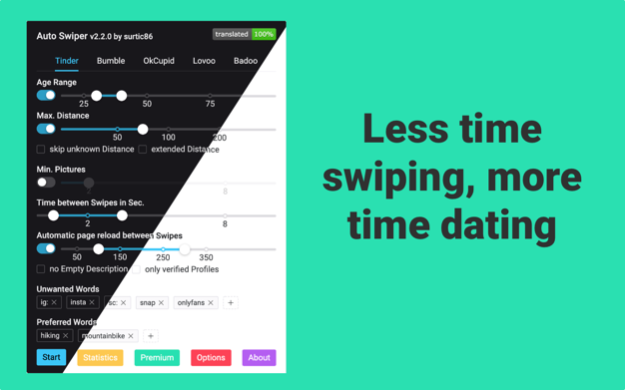
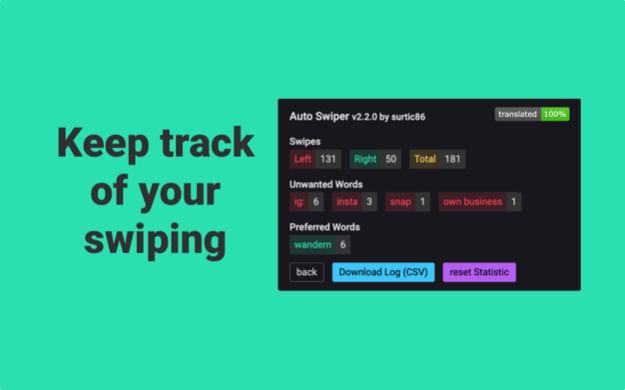
The Auto Swiper Extension helps you get the most out of Tinder, Bumble, Lovoo, Badoo, OkCupid or PoF so you can spend more time getting to know people.
To get the most out of the Auto Swiper Extension I recommend you to set the filters on Tinder, Bumble, Lovoo, Badoo, OkCupid or PoF less strict, so that you can then use the Auto Swiper to adjust the filter according to your needs. This will result in more dislike swipes which will improve your reputation on the dating sites.
Auto Swiper Extension offers you different ways to filter the profiles of Tinder, Bumble, Lovoo, Badoo, OkCupid and PoF.
Standard
- max. 100 swipes per run
- define age range
- minimum photos
- unwanted words (10)
Because Tinder, Bumble, Lovoo, Badoo, OkCupid and PoF are always changing their apps there can be problems with the Auto Swiper. Please inform me if the extension does not work properly anymore.
Changelog:
https://www.auto-swiper.ch/changelog.html
Jul 31, 2023
Version 3.10.1
v3.10.1
- fixed max swipes settings
About Auto Swiper
The company that develops Auto Swiper is Andreas Reinhold. The latest version released by its developer is 3.10.1.
To install Auto Swiper on your iOS device, just click the green Continue To App button above to start the installation process. The app is listed on our website since 2023-07-31 and was downloaded 11 times. We have already checked if the download link is safe, however for your own protection we recommend that you scan the downloaded app with your antivirus. Your antivirus may detect the Auto Swiper as malware if the download link is broken.
How to install Auto Swiper on your iOS device:
- Click on the Continue To App button on our website. This will redirect you to the App Store.
- Once the Auto Swiper is shown in the iTunes listing of your iOS device, you can start its download and installation. Tap on the GET button to the right of the app to start downloading it.
- If you are not logged-in the iOS appstore app, you'll be prompted for your your Apple ID and/or password.
- After Auto Swiper is downloaded, you'll see an INSTALL button to the right. Tap on it to start the actual installation of the iOS app.
- Once installation is finished you can tap on the OPEN button to start it. Its icon will also be added to your device home screen.
Program Details
System requirements
Download information
Pricing
Version History
version 3.10.1
posted on 2023-07-31
Jul 31, 2023
Version 3.10.1
v3.10.1
- fixed max swipes settings
version 3.9.0
posted on 2023-07-18
Jul 18, 2023
Version 3.9.0
3.9.0
- Introducing a map feature for selecting locations.
- Added the ability to download the swiping log as a JSON file.
- Enhanced the left swipe percentage calculation to generate a new percentage after 100 swipes, making it less detectable.
- Increased the maximum swipes setting to 5000 for the pro and ultimate versions.
- Replaced the maximum swipes input with a range slider, generating a random value between the minimum and maximum values for increased randomness.
- Improved error detection and messaging when swiping functionality is not working.
- Displaying an error message when login attempts are unsuccessful.
- Updated translations to ensure accurate language localization.
- Updated dependencies to maintain compatibility and improve performance.
3.8.0
- changed left swipe percentage slider to range
- added some variance to the MouseClicks
- added use again KeyBoard Inputs for Bumble
- updated dependencies
version 3.7.0
posted on 2023-05-19
May 19, 2023
Version 3.7.0
v3.7.0
- hide Register and Pricing Infos Links on Apple Systems (not allowed)
- fixed missing filter only recently active for Pro and Ultimate
- prevent some errors on OkCupid
- updated dependencies
v3.6.2
- fix some bugs on OkCupid
- fix random usage simulation for not supported sites so they are again faster
- fix removing Tinder Super Like message
v3.6.1
- changed Tinder random Usage Simulation (scroll first and then just go threw pictures)
- fixed added / removed missing fields from export / import
- fixed random simulation always on
- fixed Tinder Super Like Bug with random usage Simulation
v3.6.0
- added random usage simulation for Tinder and Bumble
- fix notification default value
- updated dependencies
